Register with Email Address
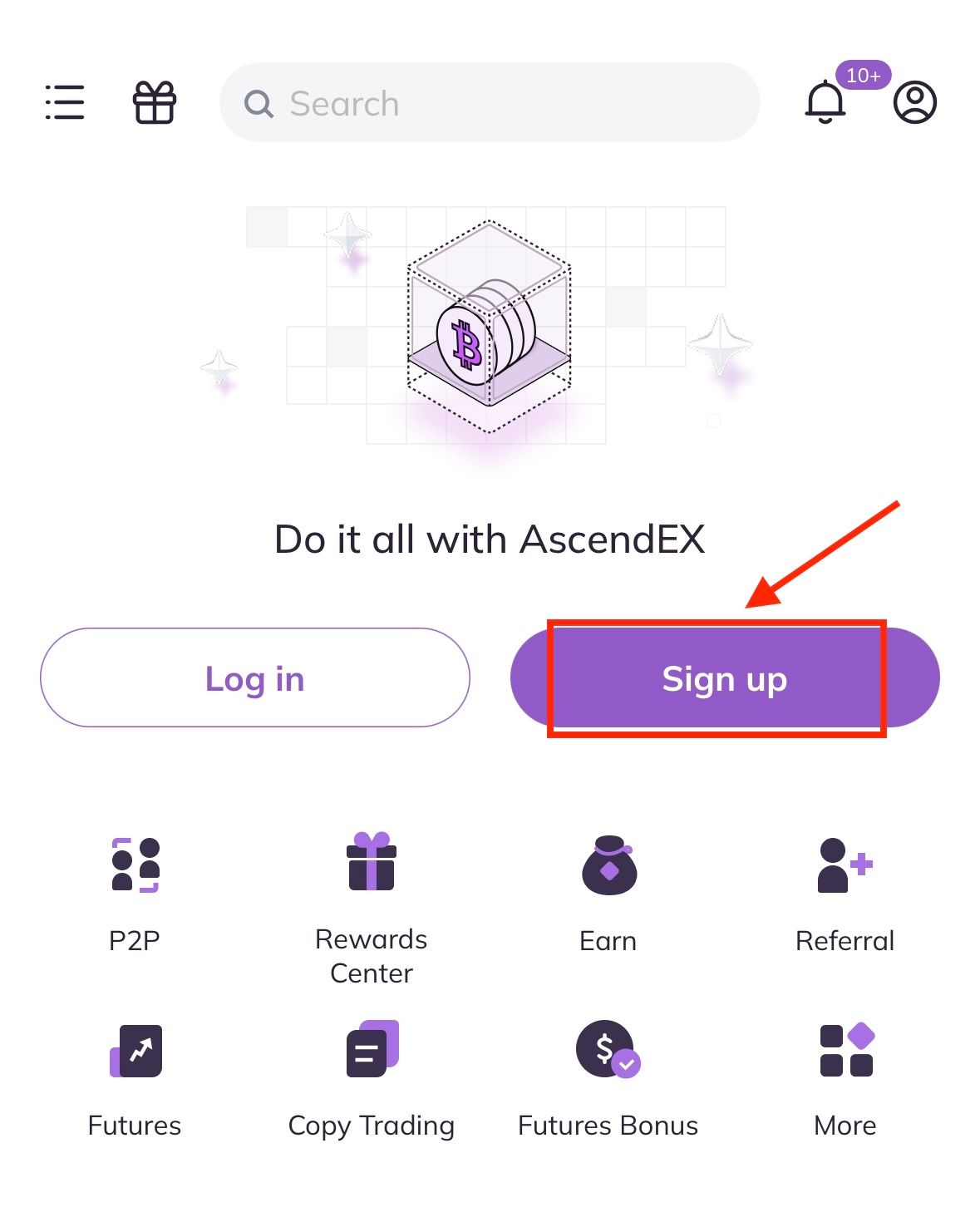
1. Open the AscendEX App you downloaded, click [Sign up] on the home page to registration page.
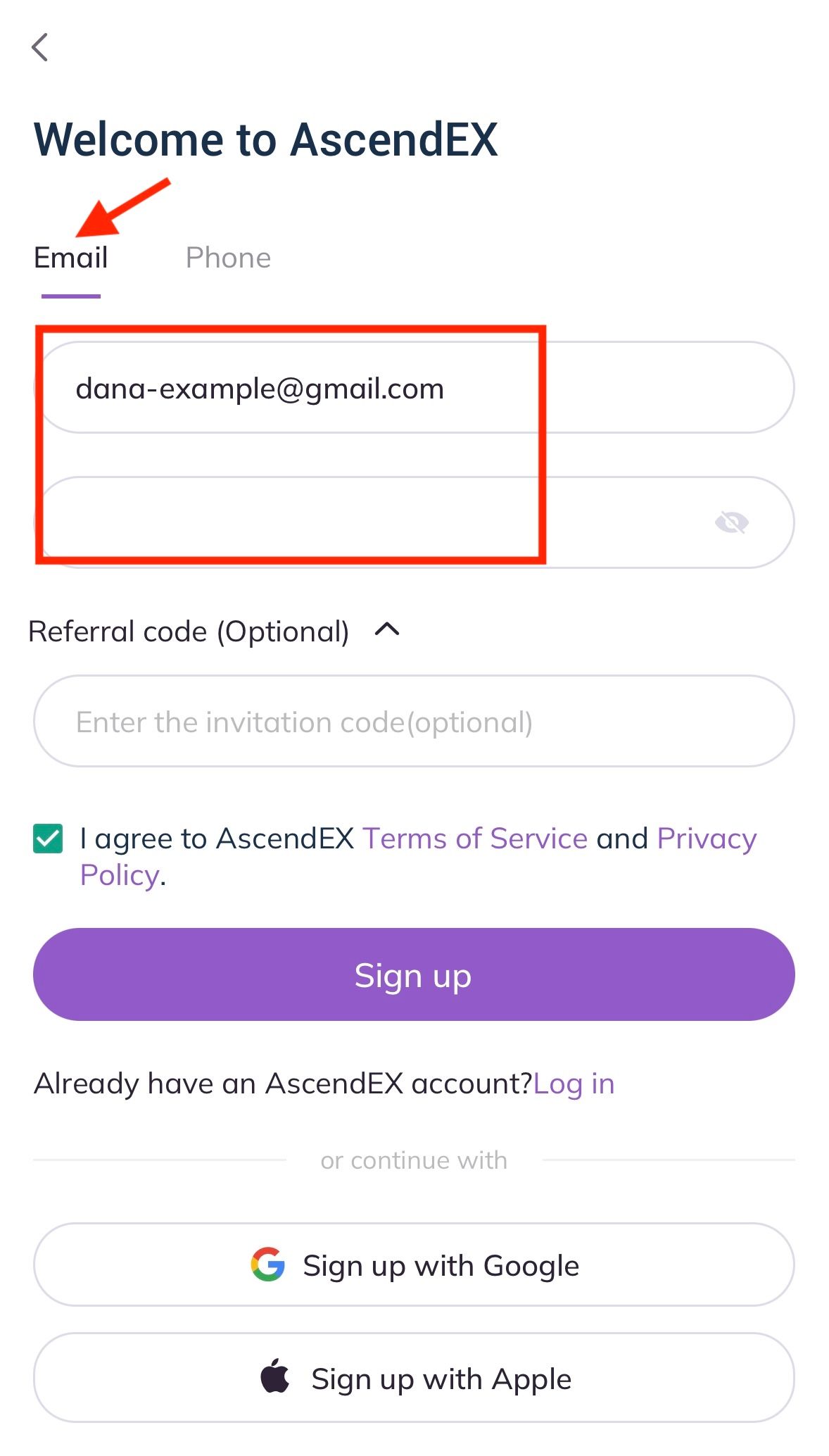
2. On the registration page, click on [Email], enter your email address, set the password, enter referral code (optional); Read and agree to Terms of Service and Privacy Policy, then click [Sign up] to verify your email address.
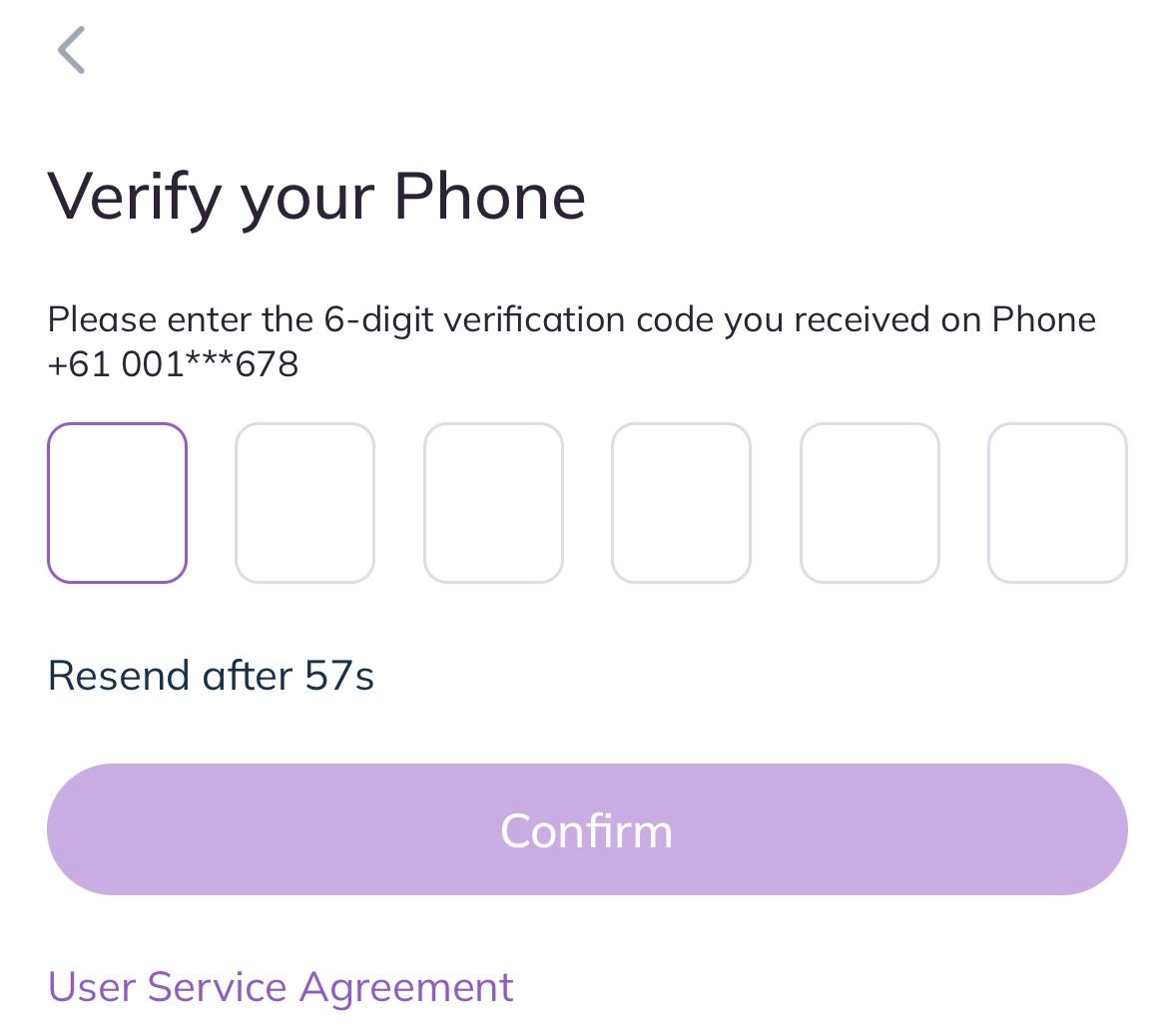
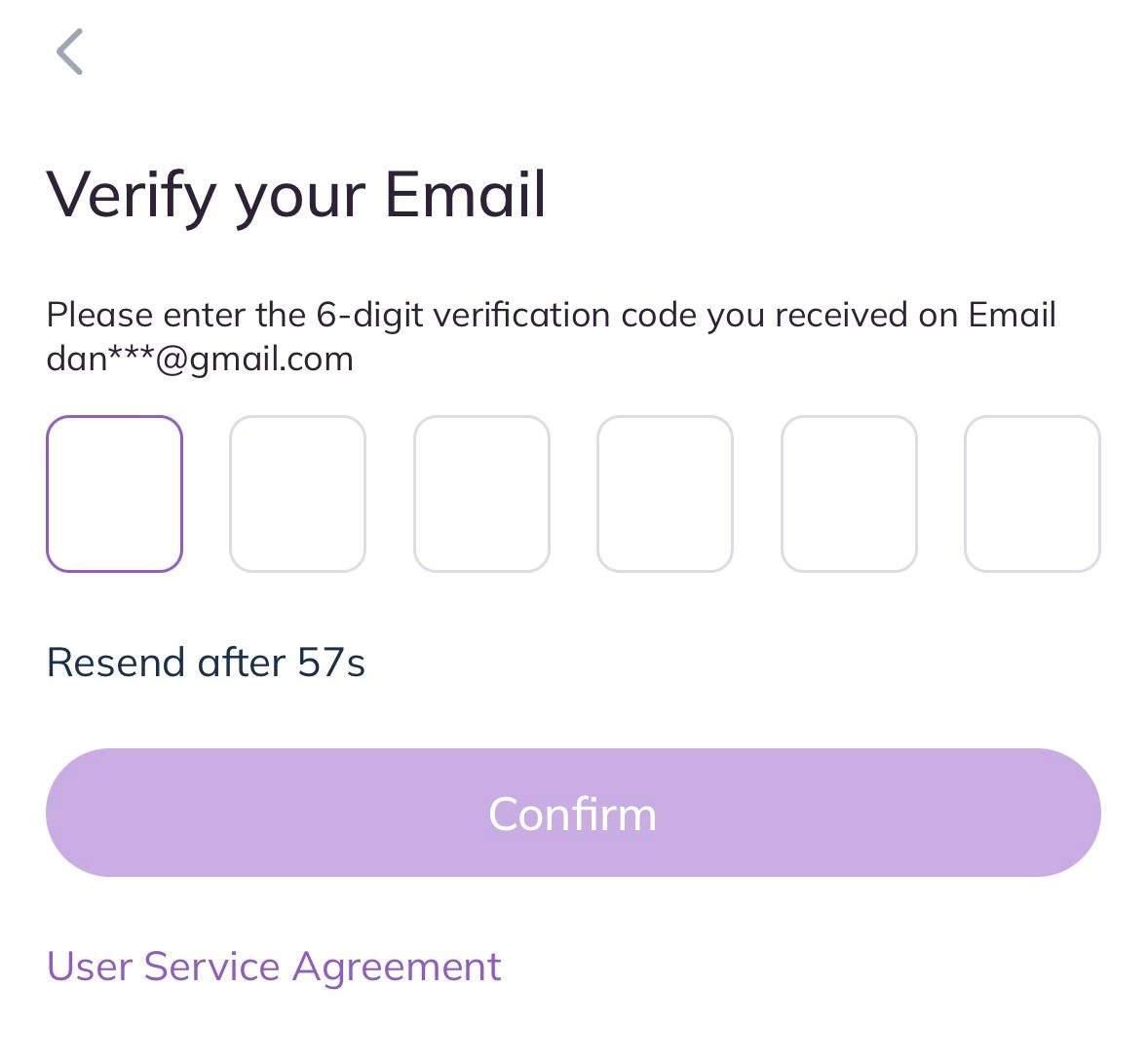
3. On the Security Verification page, enter the email verification code sent to your mailbox and click on [Confirm] to complete the registration. Now you are able to log in to start trading!
Register with Phone Number
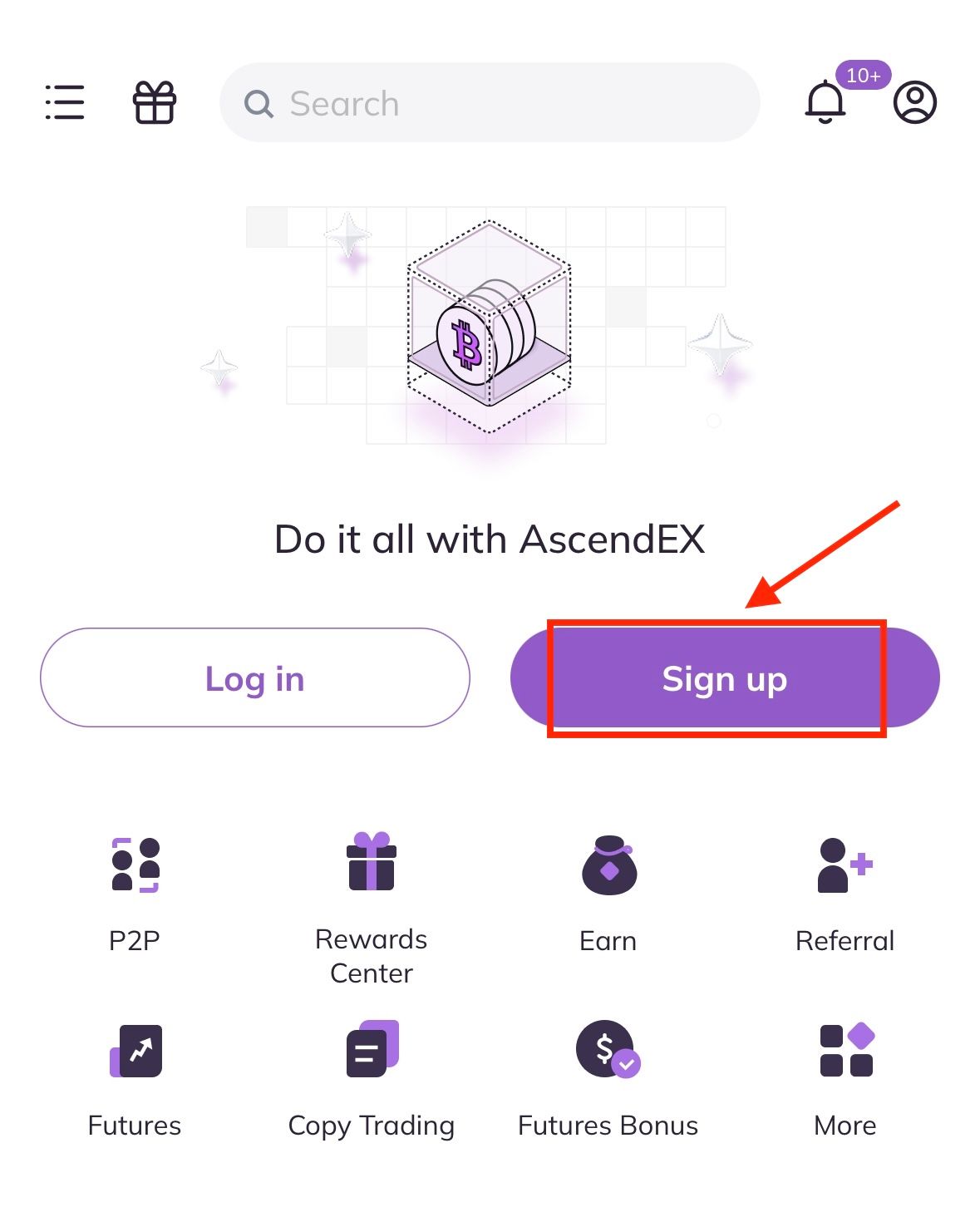
1. Open the AscendEX App you downloaded, click [Sign up] on the home page to registration page.
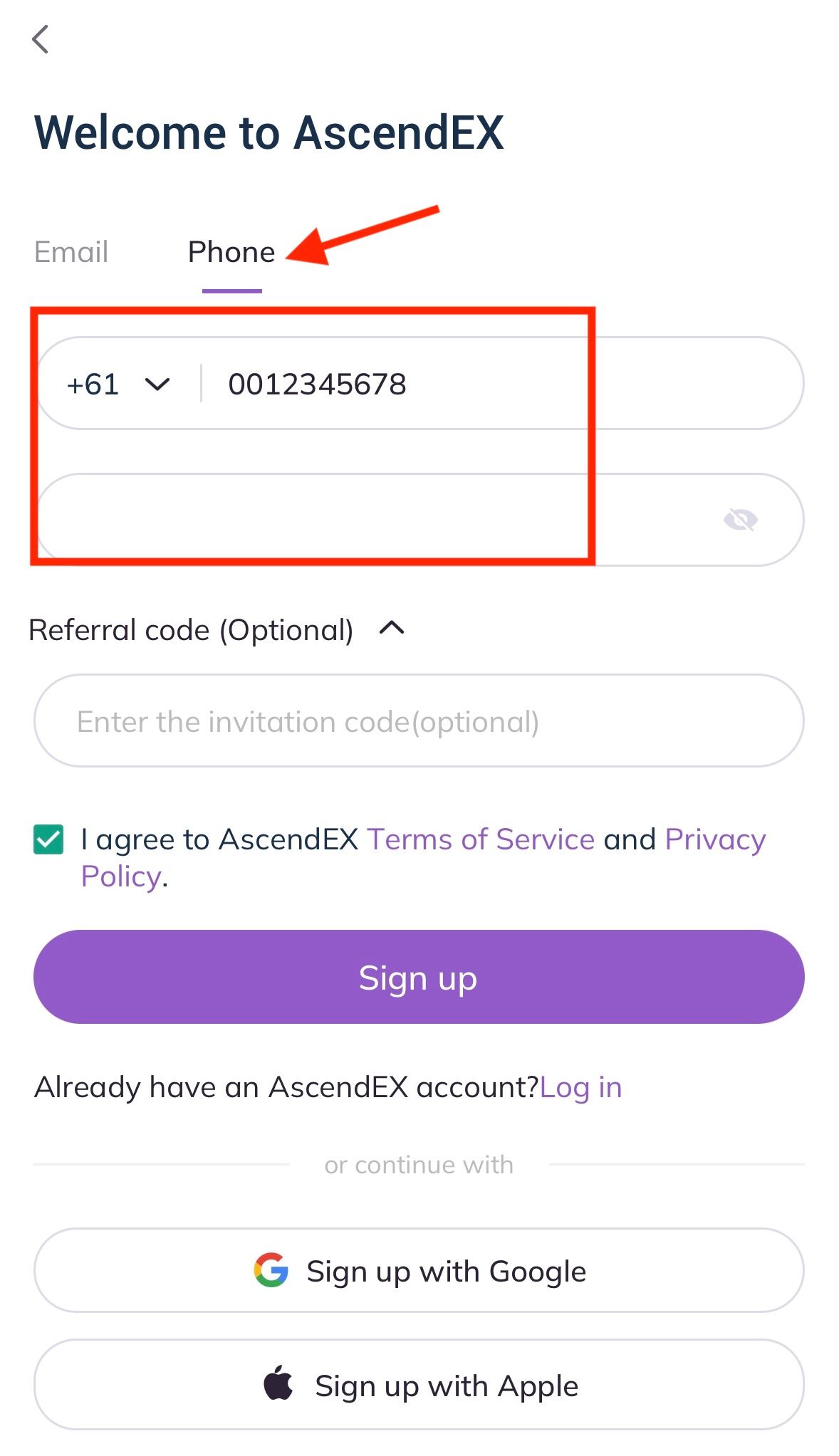
2. On the registration page, click on [Phone], enter your phone number, set the password, enter invitation code (optional); Read and agree to Terms of Service and Privacy Policy, then click [Sign up] to verify your phone number.
3. On the Security Verification page, enter the verification code sent to your phone, and click on [Confirm] to complete the registration. Now you are able to log in to start trading!